

Google Plus ROCKS! Yeah, I said it – Now what?
Ok, maybe you don't believe me yet. It's ok. That's why you're reading this now. This is The Ultimate Guide To Google Plus for Bloggers.
Now, what's the best way to teach about Google Plus? By doing a Google Plus Hangout of course.
 That's exactly what I did. This post has a video hangout I did with the Become A Blogger Community AND a number of QUICK tutorials to show you how to take advantage of the Awesome features contained within Google Plus.
I also talk about how YOU, as a blogger (or just a regular human being) can use Google+ effectively for growing your personal/business brand, AND connecting with others (even friends and family).
So, if you have about an hour and a half, watch the replay video of the hangout, and you'll learn A TON.
IF you don't have an hour and a half, watch some of it, and jump down to the Tutorials below.
By the way, this post will be updated on a regular basis with new Tutorials and resources for taking full advantage of Google+. Oh, and make sure to Join The Become A Blogger Community On Google Plus
Now, you may also be wondering if mainstream media is keen to really using Google+. The answer is a resounding YES.
In fact, just check out this video where Alicia Keys did her album launch via Google Plus. Just check out the Awesomeness of this technology.
Links for this Hangout
To ask questions, or to comment on the hangout, you can use the LiveFyre Commenting system below and I'll be watching those comments for questions.
Thanks for joining the Fun!
Google Plus Tutorials
Ok, now it's time for some step by step tutorials, especially for people who don't have the time to watch the entire video to learn how to do some of the simple things. My recommendation – Bookmark this page so that you can come back to this ever expanding resource. You're gonna wanna do it.
All you have to do is click on a title and Voila, the tutorial will Magically appear. Go ahead and give it a whirl . . .
How To Create Circles In Google+
Go to your Google+ profile and click on Circles in the left sidebar
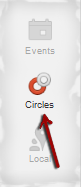
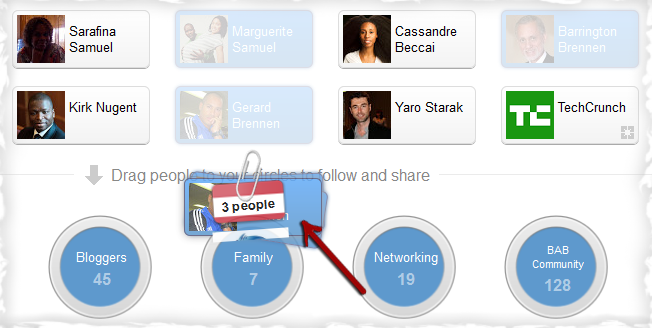
Select and Drag people to add them to your existing Circles
To create a New Circle, click on “Drag here to create a circle”
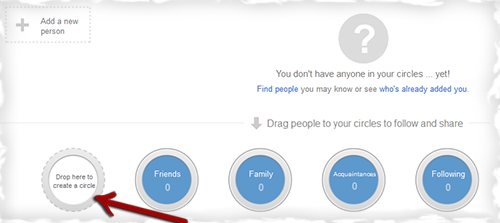
In the pop-up, name your Circle, add people to your Circle and click Create Circle
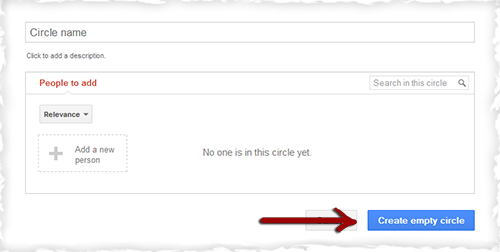
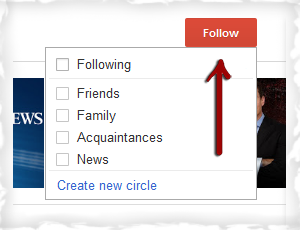
To add a page to a Circle, search for the page that you want to Follow and select the circle where you want to add it
How To Control What Shows Up On Your Home Stream
Go to your Google+ profile
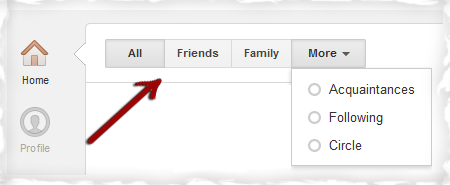
Click on the top tabs to select a Circle to show in your stream
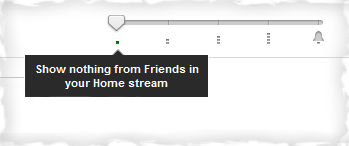
You can filter the posts that will appear in your stream by dragging the volume slider in the top right.
You can choose to Show nothing in your Home Stream
You can choose to Show some posts in your Home Stream
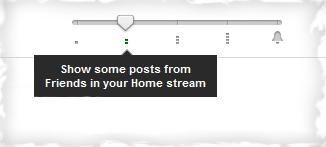
You can choose to Show most posts in your Home Stream
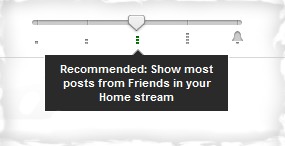
You can choose to Show every post in your Home Stream
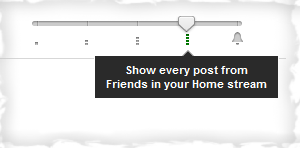
You can choose to Subscribe to notifications for all new posts
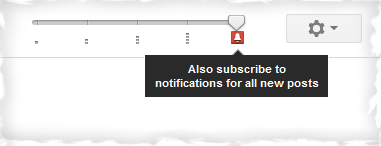
How To Find Past Conversations In Google+
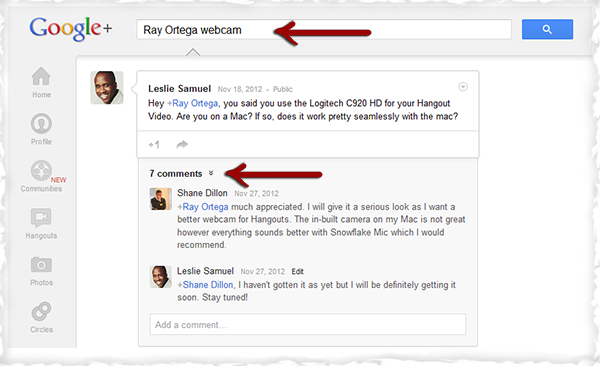
In your Google+ profile type the name of the person in the search bar and add a topic/keyword about the conversation that you want to find. Click on the number of comments to show the complete conversation.
How To Format And Edit Your Google+ Posts
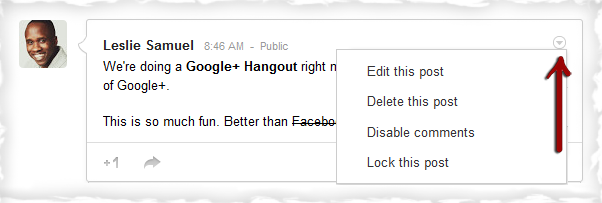
To edit your Google+ Post, click on the tiny circular button in the top right of the post to show the options.
You can also use symbols to add styling to your text. You can make your text Bold, Italic, and add Strikethrough
- asterisks for Bold
- *This is Bold*
- underscores for Italic
- _This is Italic_
- dashes for
Strikethrough- -Strike Through-
How To Edit Photos With Google Creative Kit
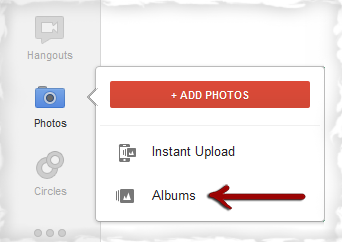
Select Photos > Albums in your left Sidebar and locate the photo that you want to edit
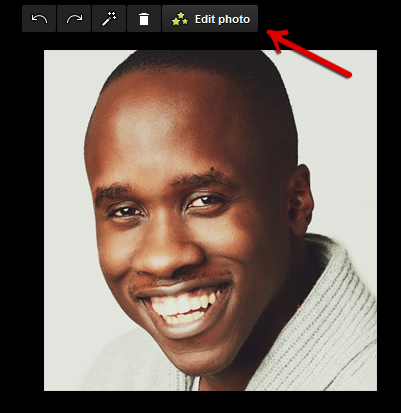
Click Edit Photo in the upper right
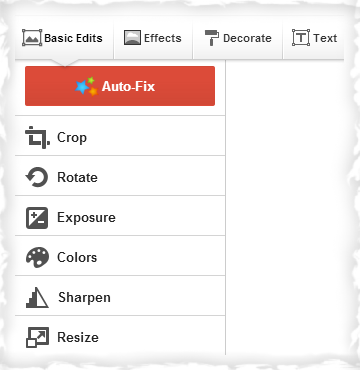
In the left sidebar you will see options for editing the photo.
You can do Basic Edits, Apply Effects, Decorate and Insert Text.
How To Get Your Profile to Show in Search Results with Google Authorship
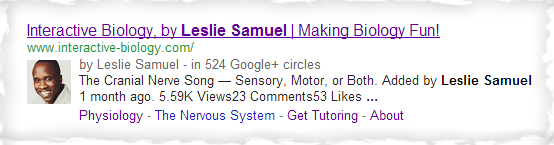
If you want your authorship information to appear in search results, you'll need a Google+ Profile and a headshot for your profile photo. Then, you have to link your website with your Google+ Profile. (Google doesn't guarantee to show author information in Google Web Search or Google News results.) Below are options on how to link your website:
Option 1:
You need a verified email address with the same domain name as your Website (e.g. [email protected] / www.yourwebsite.com).
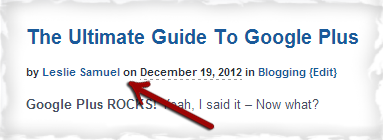
Make sure that each post in your website has a clear byline identifying you as the author (e.g. “By Leslie Samuel” or “Author: Leslie Samuel“). Your byline name must match your Google+ Profile
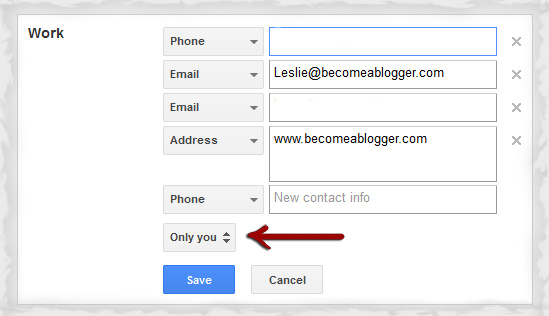
Go to the Authorship page and submit your email address. You only need to do this once. Your email will appear in the Contributor to section of your Google+ profile.
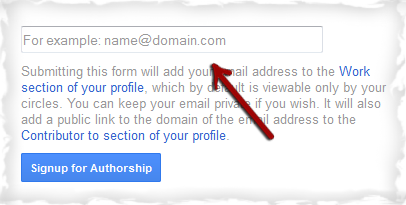
If you want to keep your email private, change the visibility of your link.
Option 2:
First, link your Google+ profile in your website, like this:
<a href=”[profile_url]?rel=author”>Google+</a>
Replace [profile_url] with your Google+ profile URL:
<a href=”https://plus.google.com/12345?rel=author”>Google+</a>
Your link must contain the ?rel=author parameter. If it's missing, Google won't be able to associate your content with your Google+ profile.
Second, add a link to your website in your Google+ profile
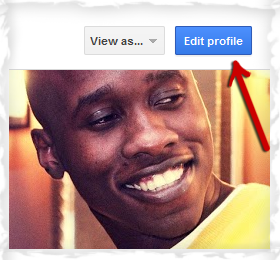
Go to your Google+ profile and edit the Contributor to section.
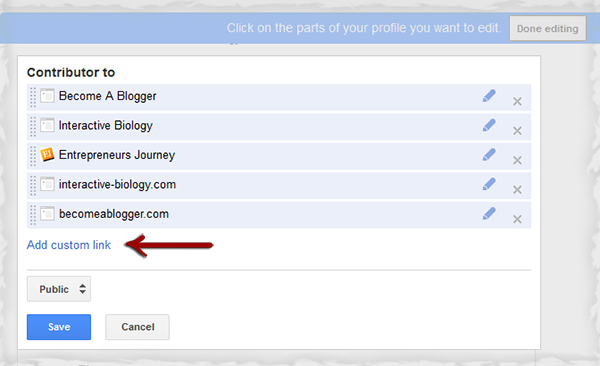
Click Add custom link, and then enter your website URL.
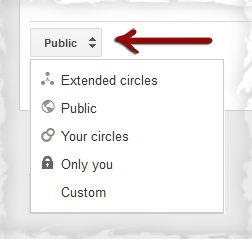
You can specify who can see the links by clicking the drop-down button.
Click Save.
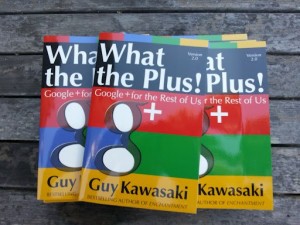 Lastly, Guy Kawasaki wrote an excellent book on Google+ and it's called What The Plus: Google+ For The Rest Of Us. It's a GREAT overview of how awesome G+ is and how to use it effectively. If you haven't checked it out, I would definitely recommend for you to do so. Click on the the picture below to download a FREE copy.